Our Alteryx Cloud Migration: Lessons, Headaches, and Wins from the Trenches

By Hanumanthrao S • 8/22/2025
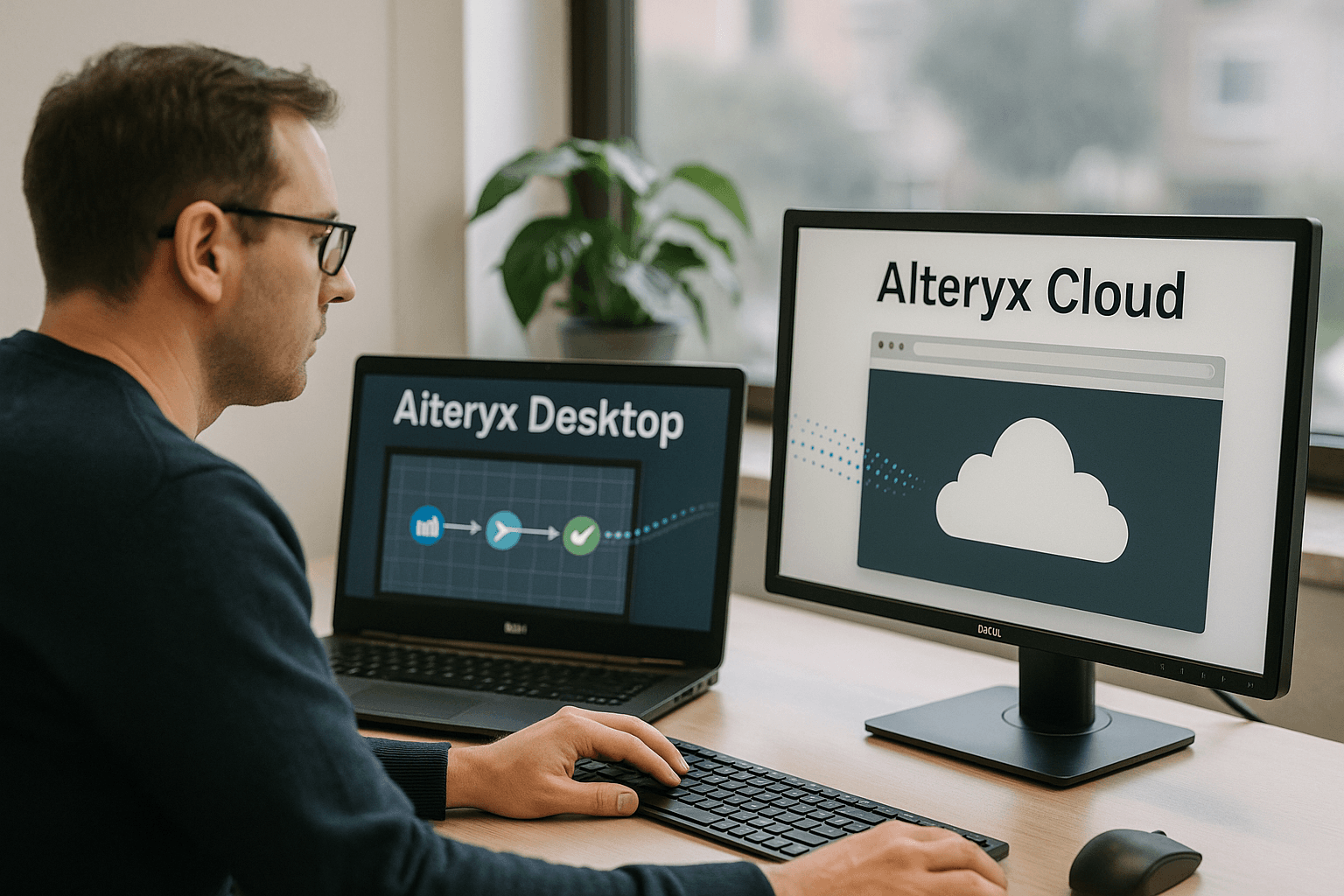
A while ago, I found myself deep in the weeds of a full-blown Alteryx Cloud migration project. It wasn’t something I planned for—it just happened to land on my desk when a client we’d been working with for years decided to ditch their Alteryx Desktop setup and make the move to the cloud.
To be honest, I didn’t expect this to become one of the more rewarding projects of my year. It had its fair share of chaos, yes—but it also forced us to rethink the way we approached data analytics, workflow design, and collaboration. This is my honest attempt to break down how it all went, in case you’re planning a similar shift (or just curious about how it feels to jump into Alteryx Designer Cloud headfirst).
So... Why Move to Alteryx Cloud?

It started with some simple questions: “Why are we still emailing Excel files back and forth?” “Why does everything break if the guy who runs the daily Alteryx job is on leave?” And, my personal favorite: “Can’t we just automate this already?”
Our client had grown fast, and their desktop Alteryx setup—while dependable—was starting to feel like an old pair of jeans. Comfortable, but not quite working anymore. They needed something more collaborative. Something that didn’t care whether their analysts were sitting in the same office or halfway across the world. And, more importantly, something that could scale.
That’s when Alteryx Cloud came into the picture.
Getting Started: Planning, or Attempting To
Look, I’ve been through enough migrations to know that jumping in without a plan is just asking for trouble. So we spent a good two weeks doing nothing but taking stock.
What workflows were people using regularly? Where was the data coming from? How were jobs scheduled? What broke often? What made people swear under their breath?
We dug through folder structures that hadn’t been cleaned in years. We found workflows nested inside workflows inside macros. Some hadn’t been touched in months. Some were still mission-critical. We documented everything—painfully—and started plotting what to keep, what to rebuild, and what to let die a peaceful death.
This stage wasn’t glamorous, but it saved us later.
Cloud Setup: Where the Real Work Started
Once we had a handle on what we were dealing with, we started setting up the Alteryx Designer Cloud environment. I won’t bore you with the checkbox list, but here are a few highlights:
We created separate workspaces for each team—analytics, operations, marketing—so people weren’t stepping on each other’s toes.
We set up Snowflake as the main data warehouse, and Fivetran became our new best friend for syncing things like Google Sheets.
We worked with the client’s IT team to handle authentication, access control, and security policies. That part took longer than expected, but I get it—nobody wants to mess up access rights.
One pleasant surprise: setting up connectors in the cloud was a lot less painful than I thought it would be. We had Snowflake talking to Alteryx Cloud within the first hour.
Rebuilding Workflows: Easier Said Than Done
Here’s where things got interesting. We couldn’t just copy/paste the old workflows into the cloud. Not all tools translated neatly. And some of the desktop habits—like heavy macros or weird nested logic—had to be rethought entirely.
For instance, multi-row formulas weren’t as straightforward in the cloud. We had to break them down and sometimes simulate the logic in steps.
The lack of traditional macros was another challenge. We got around that by breaking those complex tasks into smaller, reusable workflows and using the PLAN feature to stitch them together.
Was it annoying? At times, yes. But looking back, it was also a chance to clean up technical debt and rebuild smarter. Some of the workflows we redesigned now run twice as fast and are ten times easier to understand.
The PLAN Feature: A Quiet Revolution
I didn’t think I’d fall in love with a scheduling tool, but here we are.
Plans in Alteryx Cloud are basically workflow playlists. You line up a series of workflows, tell them when to run and what to do if something goes wrong, and boom—you’ve got automation without writing a single line of code.
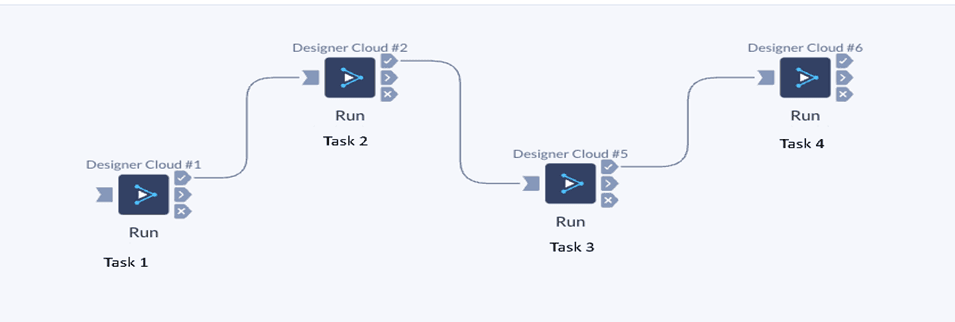
One of our Plans pulls daily sales data from three different sources, cleans it up, does the math, and loads it into a dashboard that updates automatically. No one touches it anymore. It just works.
We also use Plans for data quality checks, alerting, and backup tasks. It’s honestly one of the most underrated parts of the platform.
The Cloud Native vs. Standard Mode Thing
Alteryx Cloud gives you two modes to run workflows:
Cloud Native Mode: Fast, efficient, and best for typical jobs. It loads only samples of data unless you tell it to fetch more.
Standard Mode: More like the desktop experience—loads the whole dataset.
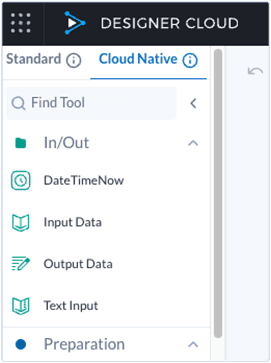
At first, we didn’t pay much attention to the difference. That changed quickly. When we started hitting limits with data previews or couldn’t debug something, switching modes saved us. Now we pick the mode based on what we’re trying to do.
My advice? Don’t ignore this setting. It can really impact your dev experience.
A Few Hiccups (Because, Of Course)
Like any migration, we hit some bumps. A few that stand out:
Google Sheets Limitations
We couldn’t pull directly from Google Sheets like we used to. Using Fivetran to bring data into Snowflake worked, but it added some complexity.
Macros? Not So Much
Alteryx Cloud doesn’t support traditional macros the way the desktop version does. We had to restructure things. Some workflows got cleaner, some got messier.
Sampling Confusion
A few people on the team didn’t realize Cloud Native Mode only shows a sample of the data, and that led to a lot of “why isn’t this filtering properly?” moments. We had to do a bit of internal training to fix that.
Still, nothing was a deal-breaker. And once we figured out workarounds, the team adapted fast.
What Changed for the Better
Now that we’re fully migrated, the day-to-day feels different—and in a good way.
•People don’t need to check if the “right” version of a workflow is on their laptop.
•We don’t need to remind someone to hit "Run" every morning.
•Errors are easier to catch. Logs are centralized. Alerts actually work.
There’s also a cultural shift. The team is more collaborative. New analysts aren’t intimidated by legacy workflows because everything’s more modular and better documented.
I didn’t expect the cloud to improve morale, but honestly—it did.
What’s Next for Us
We’re just scratching the surface. The client’s already looking into:
•Automating more reporting with Alteryx Auto Insights
•Embedding predictive models into existing workflows
•Integrating Slack alerts for job failures
•Creating reusable templates across departments
There’s still plenty to explore, but we’ve built a solid foundation. And that’s a win in itself.
Final Thoughts: Would I Do It Again?
Absolutely. Was it easy? Nope. Was it worth it? 100%.
If you're planning an Alteryx Cloud migration, here's what I’ll say:
•Don’t treat it as just a tool switch. Take the opportunity to clean house.
•Expect to re-learn a few things—and that’s okay.
•Embrace the platform’s quirks. They’re there for a reason.
•Plans are your best friend. Use them early.
Most of all, give your team time to adapt. This isn’t just about tech. It’s about people, process, and the way you work with data.
And when it finally clicks—when the dashboards update on time, the alerts go out without fail, and nobody has to babysit workflows—it’s a really, really good feeling.
A Quick Word About Us – Ybrantworks
We’re not just consultants—we’re collaborators.
At Ybrantworks, we help businesses modernize their data strategies without losing their minds. Whether you’re dealing with legacy systems, clunky workflows, or just don’t know where to start, we’ve probably been there—and we can help you through it.
Check us out at [www.ybrantworks.com] if you’re ready to take the next step.
Loading comments...